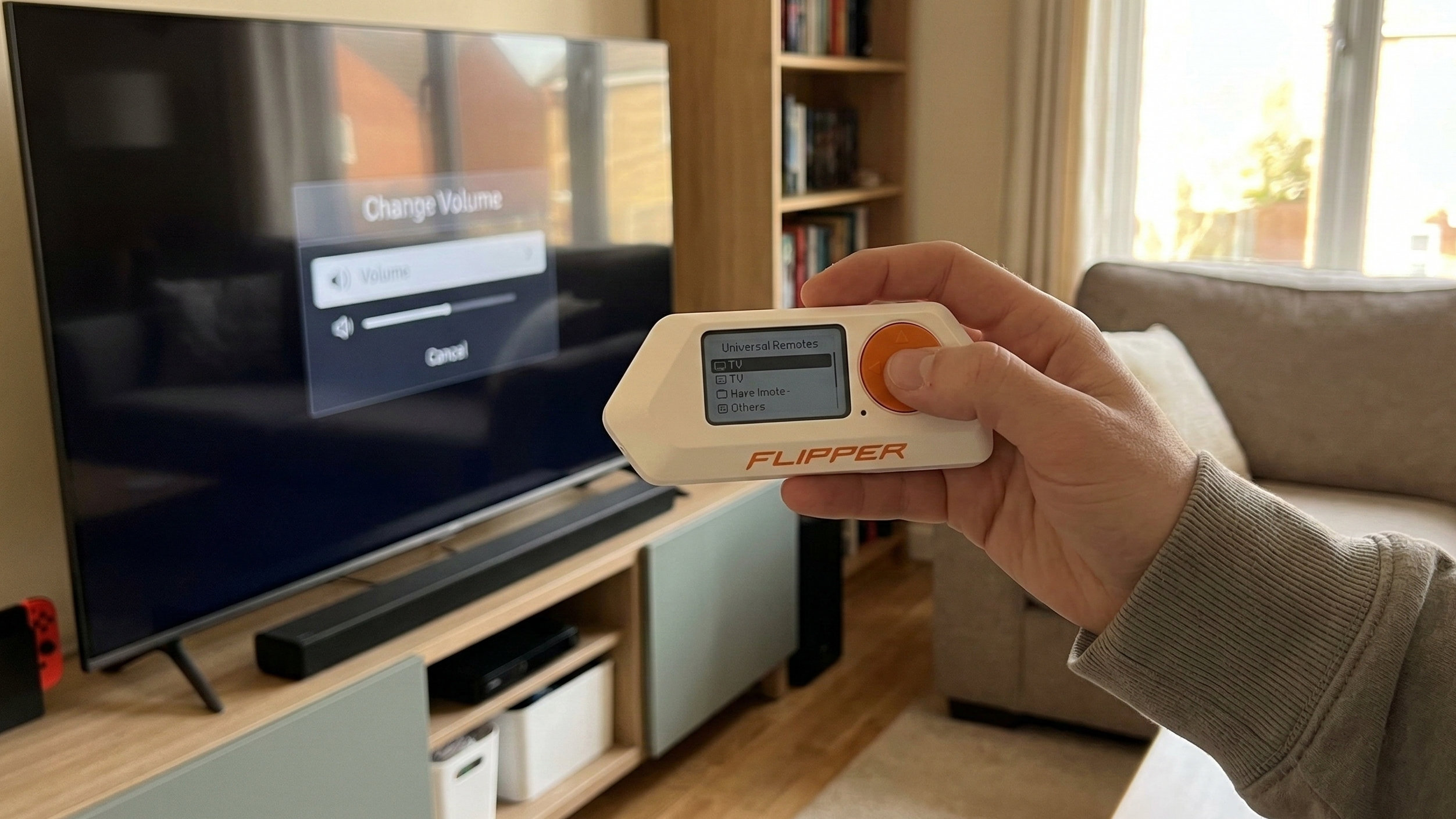
The Flipper Zero is a small device that can record and send signals. It looks like a cross between a handheld 90s gaming device, and a Tamagotchi. It’s often marketed and described as a tool for hackers or security testers, but I find that many of its functions are also super useful for travelers. Whether you’re staying in hotels or AirBnBs, there are many ways that you can use this handy little device to your advantage.
The Flipper Zero supports plugging in external Wi-Fi modules and devboards, but I’m using the Flipper Zero out of the box, without any additional hardware. Certain features require additional files or apps to be installed on the device.
Flipper Zero travel uses
1. As a universal remote for TVs, AC units and many other devices
The Flipper Zero has an infrared port, which allows you to control nearly any device that works with an infrared remote control. If you are given ordinary access to a device in your room or rental apartment, it feels reasonable to assume that you should then also be allowed to operate it remotely from a few meters away. If you are unsure, you could of course always ask for permission: Hey, I couldn’t find a remote control for the TV. I always travel with a universal remote – can I use that instead?
The basic Flipper firmware comes with a universal remote for a limited set of simple actions, like On/Off, Volume Up/Down etc., which then cycles through a number of popular brands for each action. When you need access to more specific buttons for a particular brand, like image settings, special menus, connected USB devices etc, you are better off downloading one of the available online collections of brand-specific remotes of all types of devices. You only need to copy these collections to your device once and they hardly take up any space. Alternatively, the Flipper can also copy the signals of an existing remote, for later replay. There is even a Timed Remote app that lets you schedule the signal to happen at a specified time.
2. To create backup copies of temporary room keys/access cards
The Flipper Zero can create copies of many access cards, badges or touch-activated key fobs, allowing you to carry a backup in case you misplace or forget the original, or in situations where they may not even have enough cards or fobs for all guests who are staying in the same room or apartment. This also goes for cards or fobs that give access to certain communal areas, like the parking lot, lift, gym, bin/recycling room etc.
After reading and storing a card or fob, the Flipper can then “emulate” it, which means that the device generates the signal necessary to act as the card whenever a reader scans it. In order for the Flipper to copy such a card, it needs to be based on the RFID or NFC industry standards. If the card uses newer (encrypted) standards, emulation may fail. The Flipper Zero cannot read cards with magnetic strips.
I was once able to use a card backup on my Flipper to retrieve a toiletries bag I left behind in my room, after I had already dropped the room card in the express checkout box at the hotel reception. They obviously hadn’t revoked my access yet, because I was still well within the agreed check-out time.
3. As a presentation clicker
You can register the Flipper as a Bluetooth or USB remote control for your laptop, so you can progress through the slides of a PowerPoint presentation or slideshow without standing in front of your laptop.
4. As a Bluetooth camera trigger
You can easily use your Flipper to take a group picture that you’re part of yourself. Just register the Flipper on your phone as a Bluetooth camera trigger, then position your phone on a table or other raised platform. Now you can join the group and take several pictures without needing to set or reset a timer. Just make sure there’s no risk of anyone running off with your phone.
5. To play games without using your (work) phone
The Flipper comes with an app store that allows you to install various additional tools, but also a number of free games. If you’re traveling with a work phone, the apps you’re allowed to install may be limited by your employer, so having a second device without such restrictions can be useful. Granted, the Flipper Zero is no high-end gaming console, but games like Tetris or Snake can still be engaging in a pinch. Others are 2048, Arkanoid, and mini ports of Prince of Persia and Doom.
6. As a backup alarm clock
Maybe you are paranoid about missing your flight or train due to an empty phone battery or malfunction. Or maybe you’re just bad at tapping the Snooze button and sometimes hit the Dismiss button instead. The Flipper Zero can give you additional peace of mind as a backup alarm clock.
Other things to try
- Register your Flipper zero as an “air tag” on the Apple Find Me network, so you can keep track of your bag
- Store barcodes to be displayed on the screen, e.g. for loyalty cards
- Use your Flipper as a countdown or timer
- Read the microchip implant of a pet, e.g. to report the pet’s ID number to a vet clinic, shelter, or animal control for verification
- If you leave the device in your room, you can even control devices in the room from the other side of the door by connecting remotely through Bluetooth
- As a “mouse jiggler”: if you want to keep your laptop from switching the screensaver on or going on standby, you can register the Flipper Zero as a USB mouse. This will send mouse actions to the computer to simulate user input.
- As a nightstand clock, if your phone doesn’t have an always-on time display
Isn’t the Flipper Zero a dangerous hacking tool?
Contrary to popular myths on social media and video platforms, the Flipper Zero cannot clone or extract sensitive information from payment cards, randomly unlock cars or garage doors, turn traffic lights green, empty vending machines, change gas pump pricing etc. For most uses, you first need to have legitimate access to the technology that you’re emulating, like the original access card.
Should you clone RF signals and remotes?
The Flipper Zero is capable of cloning some types of “sub-GHz” remote controls, like button fobs for garage doors, gates, vehicles etc. The problem is that these often use “rolling codes”. While you may initially succeed in cloning their signal, it can cause the official remote to go out of sync with the device and stop working. It is therefore not recommended to clone sub-GHz devices that you don’t personally own. There are also collections of universal sub-GHz signals for many devices, that you can download just like for infrared devices. These are typically as safe to use as infrared codes.